The Ultimate Guide to Downloading and Playing The Witcher 3
Published: 2026-08-19 00:13:38 Views:
Discover how to download The Witcher 3, including detailed platform availability, essential system requirements, and easy installation steps for an optimal experience.
Key Takeaways
The Witcher 3 is available on PC, PS4, Xbox One, and Nintendo Switch.
Minimum PC requirements include Intel Core i5-2500K and 6GB RAM.
The game offers a rich story and expansive open world, making it a must-play.
Download options include official stores like Steam and GOG.
Join millions of players worldwide enjoying this award-winning title.
Overview of The Witcher 3
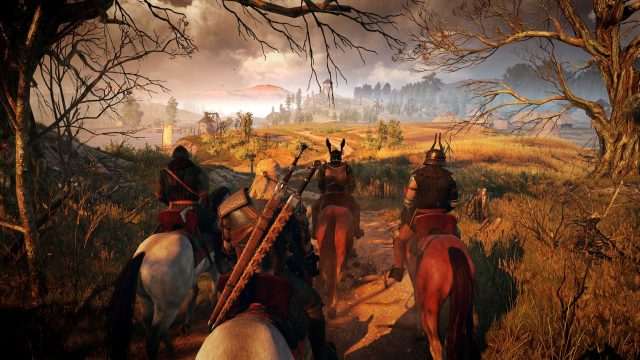
The Witcher 3: Wild Hunt, developed by CD Projekt Red, is a critically acclaimed action RPG that immerses players in a captivating fantasy world. Set in a richly crafted universe based on the novels by Andrzej Sapkowski, players assume the role of Geralt of Rivia, a monster hunter known as a witcher. The game's open-world design allows players to explore vast landscapes, encounter diverse characters, and engage in thrilling quests. The Witcher 3 is celebrated for its intricate storytelling, dynamic gameplay, and stunning visuals.
Platform Availability
The Witcher 3 is accessible on several platforms, catering to a wide audience:
PC: Available through Steam and GOG, providing digital download options.
PlayStation 4: Purchase and download via the PlayStation Store.
Xbox One: Available on the Xbox Store for direct download.
Nintendo Switch: Downloadable from the Nintendo eShop, offering a portable gaming experience.
System Requirements
Before downloading The Witcher 3, ensure your system meets the necessary requirements:
PC Requirements
Minimum:
OS: Windows 7 or higher (64-bit)
Processor: Intel Core i5-2500K or AMD Phenom II X4 940
Memory: 6 GB RAM
Graphics: NVIDIA GeForce GTX 660 or AMD Radeon HD 7870
DirectX: Version 11
Storage: 35 GB available space
Recommended:
OS: Windows 10 (64-bit)
Processor: Intel Core i7 3770 or AMD FX-8350
Memory: 8 GB RAM
Graphics: NVIDIA GeForce GTX 770 or AMD Radeon R9 390
DirectX: Version 11
Storage: 35 GB available space
How to Download
Downloading The Witcher 3 is straightforward. Follow these steps for your chosen platform:
For PC (Steam or GOG)
Open Steam or GOG client on your PC.
Search for The Witcher 3: Wild Hunt.
Select the game and click on 'Add to Cart'.
Proceed to checkout and complete your purchase.
Once purchased, the game will appear in your library for download.
Click on the game in your library and select 'Install'.
For PlayStation 4
Launch the PlayStation Store on your console.
Search for The Witcher 3: Wild Hunt.
Select the game and click 'Purchase'.
After purchase, navigate to your library and find the game.
Select 'Download' to install it on your PS4.
For Xbox One
Open the Xbox Store on your console.
Search for The Witcher 3: Wild Hunt.
Select the game and complete your purchase.
Once acquired, go to 'My Games & Apps' to find The Witcher 3.
Click on 'Install' to start downloading the game.
For Nintendo Switch
Access the Nintendo eShop on your console.
Search for The Witcher 3: Wild Hunt.
Select the title and click 'Purchase'.
After purchase, navigate to your library.
Select the game and choose 'Download' to install it on your Switch.
Conclusion
The Witcher 3: Wild Hunt stands out as a masterpiece in the gaming world, offering players an unforgettable adventure filled with rich lore and engaging gameplay. With various download options available across multiple platforms, it’s never been easier to join Geralt of Rivia on his epic quests. Whether you’re in Southeast Asia or elsewhere, ensure you meet the system requirements to fully experience this remarkable game. Dive into the captivating world of The Witcher 3 today!