Explore the High Seas: Your Guide to Corsair Cove Game Download
Published: 2026-08-22 10:02:32 Views:
Get ready to set sail in Corsair Cove! Learn how to download this exciting city-building game on various platforms, including PC and consoles.
Key Takeaways
Corsair Cove is a unique city builder focusing on pirate life logistics.
The game is available on Steam and other major platforms.
System requirements ensure a smooth experience on PC.
Installation steps are straightforward across all platforms.
Players must manage resources to satisfy pirate demands.
Overview of Corsair Cove
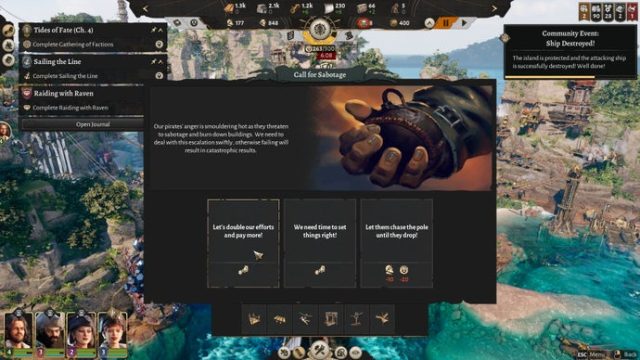
Corsair Cove, developed by Limbic Entertainment, invites players to immerse themselves in the life of a pirate city planner. Unlike traditional pirate games that focus on adventure and treasure hunting, this city builder emphasizes the logistical side of sustaining a pirate community. Players must construct and manage the infrastructure necessary to keep their crew happy and productive.
The game is set in a vibrant tropical environment filled with challenges, from dealing with rival pirate factions to navigating the dangers of the high seas. As you build your island, you’ll need to gather resources, construct shelters, and produce essential goods to satisfy your crew’s ever-growing demands. Whether it's food, drink, or the latest pirate gear, keeping your pirates satisfied is crucial to your success.
Platform Availability
Corsair Cove is available on several platforms, ensuring that a wide range of players can join in on the fun. Here’s where you can find it:
PC (Steam): The game can be downloaded directly from the Steam store.
Epic Games Store: Corsair Cove is also accessible via the Epic Games Store.
Consoles: Players on PlayStation and Xbox can find Corsair Cove in their respective stores, including the PlayStation Store and Xbox Store.
System Requirements
Before diving into Corsair Cove, it’s essential to ensure that your system meets the necessary requirements. Below are the minimum and recommended specifications for a seamless gaming experience:
Minimum Requirements
OS: Windows 10 (64-bit)
Processor: Intel Core i5-2400 / AMD FX-6300
Memory: 8 GB RAM
Graphics: NVIDIA GeForce GTX 660 / AMD Radeon HD 7870
Add the game to your cart and proceed to checkout.
Once purchased, the game will be added to your library. Click on it and select 'Install'.
For Console Users
Open the PlayStation Store or Xbox Store on your console.
Use the search function to locate "Corsair Cove".
Add the game to your cart and complete the purchase.
After purchase, you can download it directly to your console.
Conclusion
Corsair Cove is a thrilling addition to the city-building genre, offering a unique twist on pirate lore. With its emphasis on logistics, resource management, and community satisfaction, it promises hours of engaging gameplay. Whether you’re an avid gamer in Southeast Asia or anywhere else, now is the perfect time to explore this captivating world!