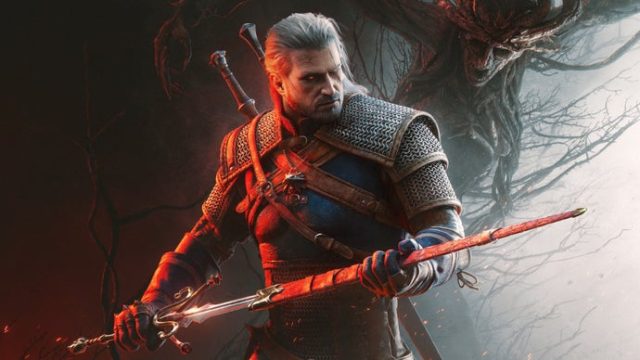
The Ultimate Guide to Downloading The Witcher 3: Songs of the Past
Published: 2026-08-27 00:21:55 Views:
Discover how to easily download The Witcher 3: Songs of the Past, the latest DLC expanding Geralt's adventures. Available on various platforms, find out the requirements and steps to get started!
Key Takeaways
The Witcher 3: Songs of the Past is an exciting new DLC.
Available on Steam and GOG for PC users.
Console players can find it on the PlayStation and Xbox stores.
Check system requirements before downloading.
Installation is straightforward, even for new players.
Overview
Launched by the acclaimed studio CD Projekt Red, The Witcher 3: Songs of the Past is not just another DLC; it's an expansion that breathes new life into a beloved RPG, which has captivated gamers for nearly a decade. As anticipation builds, players are eager to dive back into Geralt’s world and uncover fresh stories and quests. This guide provides everything you need to know about accessing and installing the new content effectively.
Platform Availability
The Witcher 3: Songs of the Past is accessible on multiple platforms, catering to a wide audience. Here are the platforms where you can find this latest DLC:
PC: Available on Steam and GOG, offering seamless integration with existing game libraries.
PlayStation: You can download it directly from the PlayStation Store, optimized for PS4 and PS5.
Xbox: Accessible on the Xbox Store for Xbox One and Xbox Series X/S owners.
Nintendo Switch: Currently, there is no announcement regarding availability on the Switch.
System Requirements
Before you hit that download button, it's crucial to ensure your system meets the necessary requirements for a smooth gaming experience. Below are the recommended specifications:
For PC Users:
OS: Windows 10 (64-bit)
Processor: Intel Core i7 or AMD Ryzen 7
Memory: 16 GB RAM
Graphics: NVIDIA GeForce GTX 1070 or AMD Radeon RX 5700
DirectX: Version 12
Storage: At least 20 GB of available space
For Console Users:
PlayStation: Requires at least 30 GB of free space.
Xbox: Ensure you have 30 GB available for installation.
How to Download
Downloading The Witcher 3: Songs of the Past is a straightforward process. Follow these steps based on your platform:
PC (Steam/GOG):
Open your Steam or GOG client.
Navigate to your library and locate The Witcher 3.
Look for the DLC section and select Songs of the Past.
Click on the download button and wait for the installation to complete.
PlayStation:
On your PS4 or PS5, go to the PlayStation Store.
Search for The Witcher 3: Songs of the Past.
Click the purchase/download button.
The game will automatically install after downloading.
Xbox:
Access the Xbox Store on your console.
Search for The Witcher 3: Songs of the Past.
Select the option to download it.
Wait for the installation to finish before playing.
Conclusion
The Witcher 3: Songs of the Past stands as a testament to CD Projekt Red's commitment to its fanbase, delivering exceptional content that enriches players' experiences. As the game industry evolves, having such expansions keeps the community vibrant and engaged. Now is the perfect time to revisit the enchanting world of The Witcher and embark on new adventures with Geralt. Don't miss out on this latest chapter—download it today and immerse yourself in the thrill of the quest!