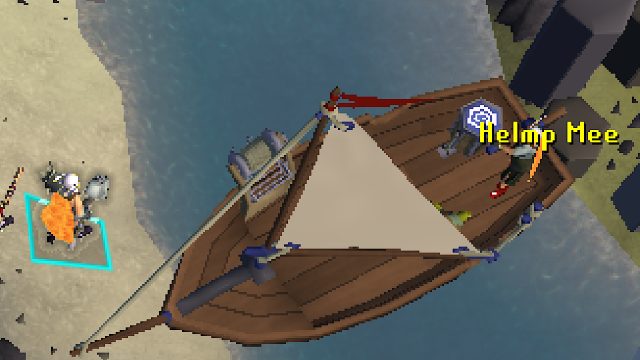
Your Ultimate Guide to Downloading Old School RuneScape
Published: 2026-07-31 00:19:02 Views:
To download Old School RuneScape, visit the official website or access it through platforms like Steam and mobile app stores. Follow the given instructions for a seamless installation.
Key Takeaways
Old School RuneScape is available on PC, Mac, and mobile devices.
The game is free to play with optional membership features.
System requirements are minimal for both PC and mobile.
Active community support is available for troubleshooting.
Regular updates ensure engaging gameplay and new content.
Overview of Old School RuneScape
Old School RuneScape (OSRS) is a nostalgic MMORPG that revives the classic experience of the original RuneScape, appealing to both veteran players and newcomers alike. Set in the expansive fantasy world of Gielinor, players can engage in various activities such as questing, combat, and skill-building. With a community-driven development model, OSRS consistently introduces new content based on player feedback, making it a living testament to the gaming spirit.
Platform Availability
Old School RuneScape is accessible across multiple platforms, ensuring players can enjoy the game wherever they are. The game can be downloaded on:
PC: Available via the official website or Steam.
Mac: Supported through the official site.
Mobile: Downloadable from the Apple App Store and Google Play Store.
System Requirements
Before diving into the world of Gielinor, ensure your system meets the following requirements:
For PC:
OS: Windows 10 or higher / MacOS 10.12 or higher
Processor: 2.6 GHz Dual-core processor
Memory: 4 GB RAM
Graphics: Integrated graphics with minimum 512 MB VRAM
Internet: Broadband connection required
For Mobile:
iOS: iOS 10.0 or higher
Android: Android 5.0 or higher
Memory: 2 GB RAM recommended
How to Download Old School RuneScape
Getting started with Old School RuneScape is straightforward. Follow the steps below for your respective platform:
For PC (Steam):
Open Steam and log into your account.
Search for 'Old School RuneScape' in the Store.
Click on the game title to access its page.
Select 'Play Game' to begin your download.
Once downloaded, launch the game from your Steam library.
For PC (Official Website):
Visit the official Old School RuneScape website.
Click on 'Play Now' and create a free account.
Download the game client.
Follow the installation instructions provided.
Launch the game and log in!
For Mobile:
Downloading on mobile devices is just as easy:
Open the Apple App Store (iOS) or Google Play Store (Android).
Search for 'Old School RuneScape.'
Click 'Download' and install the app.
Open the app and log in to your account.
Conclusion
Old School RuneScape offers an engaging experience, drawing players from Southeast Asia and beyond with its captivating gameplay and rich community. With easy access across multiple platforms and straightforward installation steps, new players can join this vibrant world quickly. Dive into Gielinor today and discover what makes OSRS a timeless classic.