The Ultimate Guide to Downloading Terraria for PC and Consoles
Published: 2026-08-12 06:03:49 Views:
Discover how to download Terraria for PC and consoles. With this guide, explore platform availability, system requirements, and easy installation steps for a seamless gaming experience.
Overview of Terraria
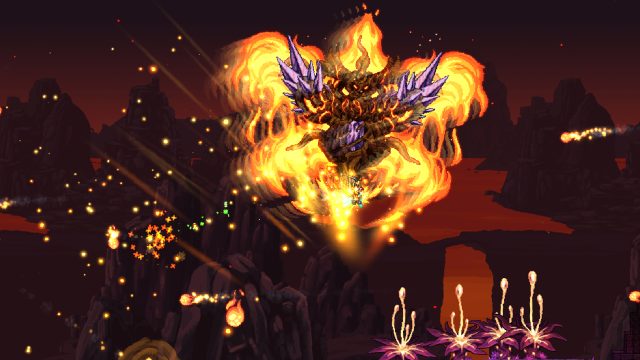
Terraria is an action-adventure sandbox game that has captivated gamers since its release in 2011. With its distinctive 2D graphics and expansive gameplay, players can explore, build, and battle in a procedurally generated world. The game combines elements of crafting, building, and exploration, making it a unique experience in the gaming landscape. As of 2023, Terraria remains a popular choice, especially in the Southeast Asian market, including countries like Indonesia.
Platform Availability
Terraria is accessible on multiple platforms, catering to a diverse audience. Here’s where you can find the game:
Steam: Available for PC and Mac users.
GOG: DRM-free version for PC.
PlayStation Store: Playable on PlayStation 4 and PlayStation 5.
Xbox Store: Available for Xbox One and Xbox Series X/S.
Nintendo eShop: For Nintendo Switch users.
Google Play: Mobile version for Android devices.
Apple App Store: Mobile version for iOS devices.
To download, visit your preferred platform's official store and search for Terraria.
System Requirements
Before downloading, ensure your system meets the following requirements:
PC Requirements
OS: Windows 7/8/10
Processor: 2.0 GHz Dual Core
Memory: 4 GB RAM
Graphics: 256 MB graphics memory
Storage: 200 MB available space
Console Requirements
For consoles, ensure you have the latest system updates and enough storage space to accommodate the game.
How to Download
Downloading Terraria is simple and straightforward. Follow these steps for your respective platform:
For PC via Steam
Open the Steam client on your PC.
Search for "Terraria" in the store.
Select the game, and click on "Add to Cart."
Proceed to checkout and complete the purchase.
After purchase, click "Install" to begin downloading.
For Consoles
Navigate to your console's store (PlayStation Store, Xbox Store, Nintendo eShop).
Search for "Terraria."
Select the game and choose "Purchase" or "Download."
Follow the prompts to complete the transaction.
For Mobile Devices
Open the Google Play Store or Apple App Store.
Search for "Terraria."
Select the game and tap "Download" or "Get."
Follow the on-screen instructions to install.
Why Download Terraria Now?
With the gaming landscape constantly evolving, now is an excellent time to experience Terraria. The game continues to receive updates and content, keeping it fresh. Join the vibrant community and immerse yourself in the endless possibilities that Terraria offers.
Key Takeaways
Terraria is available on multiple platforms, including PC, consoles, and mobile.
System requirements vary based on the platform, so check before downloading.
Downloading is easy on any platform; follow the provided steps.
Joining the Terraria community now means accessing a wealth of content and updates.
Terraria is especially popular in Southeast Asia, including Indonesia.
Frequently Asked Questions
Can I play Terraria on my laptop?
Yes, as long as your laptop meets the minimum system requirements.
Is there a mobile version of Terraria?
Yes, Terraria is available on both Google Play Store and Apple App Store for mobile devices.
What are the benefits of downloading Terraria from official stores?
Official stores ensure you receive the latest updates and secure transactions.
Is Terraria suitable for children?
While Terraria is family-friendly, parental guidance is advised due to multiplayer interactions.
What new features have been added to Terraria recently?
Recent updates have introduced new items, biomes, and bosses, enriching the gameplay experience.