Reviving the Darkness: Your Guide to Downloading Darkest Dungeon
Published: 2026-08-01 08:02:59 Views:
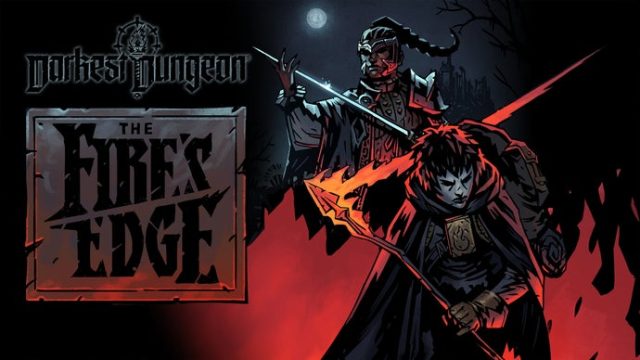
Darkest Dungeon is back with exciting new DLC, celebrating its 10th anniversary. Learn how to download and install this thrilling game today!
Overview
Darkest Dungeon is a captivating turn-based roguelike RPG developed by Red Hook Studios, known for its intense gameplay and dark themes. Launched in 2016, the game immerses players in a world of gothic horror and strategic combat, where every decision can be a matter of life and death. After a successful sequel released in 2023, the original game is once again in the spotlight as it celebrates its 10th anniversary with new downloadable content (DLC). This reinvigorates interest in the classic title, especially among gamers eager for more challenges and fresh content.
Key Takeaways
Darkest Dungeon's first new DLC in six years is set to release soon.
The game offers a unique mix of tactical combat and psychological stress management.
Players can now revisit the original game with enriched content from the sequel.
Download available on Steam, Epic Games Store, and more official platforms.
The game remains popular in regions like Southeast Asia, particularly Indonesia.
Platform Availability
Darkest Dungeon is available on multiple platforms, ensuring that gamers can enjoy it regardless of their preferred system. You can download the game on:
PC: Steam, Epic Games Store, GOG
Consoles: PlayStation 4, Xbox One, Nintendo Switch
Mobile: Currently not available on mobile platforms.
System Requirements
Before diving into the dark and treacherous dungeons, make sure your system meets the following requirements:
Graphics: NVIDIA GeForce GTX 460/560, ATI Radeon HD 6850/7850
DirectX: Version 11
Storage: 5 GB available space
How to Download Darkest Dungeon
Downloading Darkest Dungeon is a straightforward process, whether you're a newcomer or returning for the new DLC. Follow these simple steps to access the game:
Create an Account: If you don’t have an account, create one on the respective platform.
Search for Darkest Dungeon: Use the search bar to find the game.
Add to Cart: Click on the game and select the option to add it to your cart.
Proceed to Checkout: Follow the prompts to complete your purchase.
Download and Install: Once purchased, navigate to your library, find Darkest Dungeon, and click on the download button.
For Console Users
Access the Store: On your console, navigate to the PlayStation Store, Xbox Store, or Nintendo eShop.
Search for the Game: Use the search function to locate Darkest Dungeon.
Add to Cart: Select the game and add it to your cart or library.
Complete Purchase: Follow the on-screen instructions to purchase.
Download the Game: Once purchased, the game will begin downloading automatically.
Conclusion
As Darkest Dungeon celebrates its 10th anniversary with the release of new DLC, there has never been a better time to download and relive the thrilling challenges it offers. Whether you're a seasoned veteran or a newcomer to the series, the game continues to captivate with its strategic depth and dark aesthetics. Don’t miss out on the exciting content that awaits you; grab your copy today and prepare for an unforgettable journey into the darkness!